

Brand
Brand intake, AI profiler, regeneration, and editing.
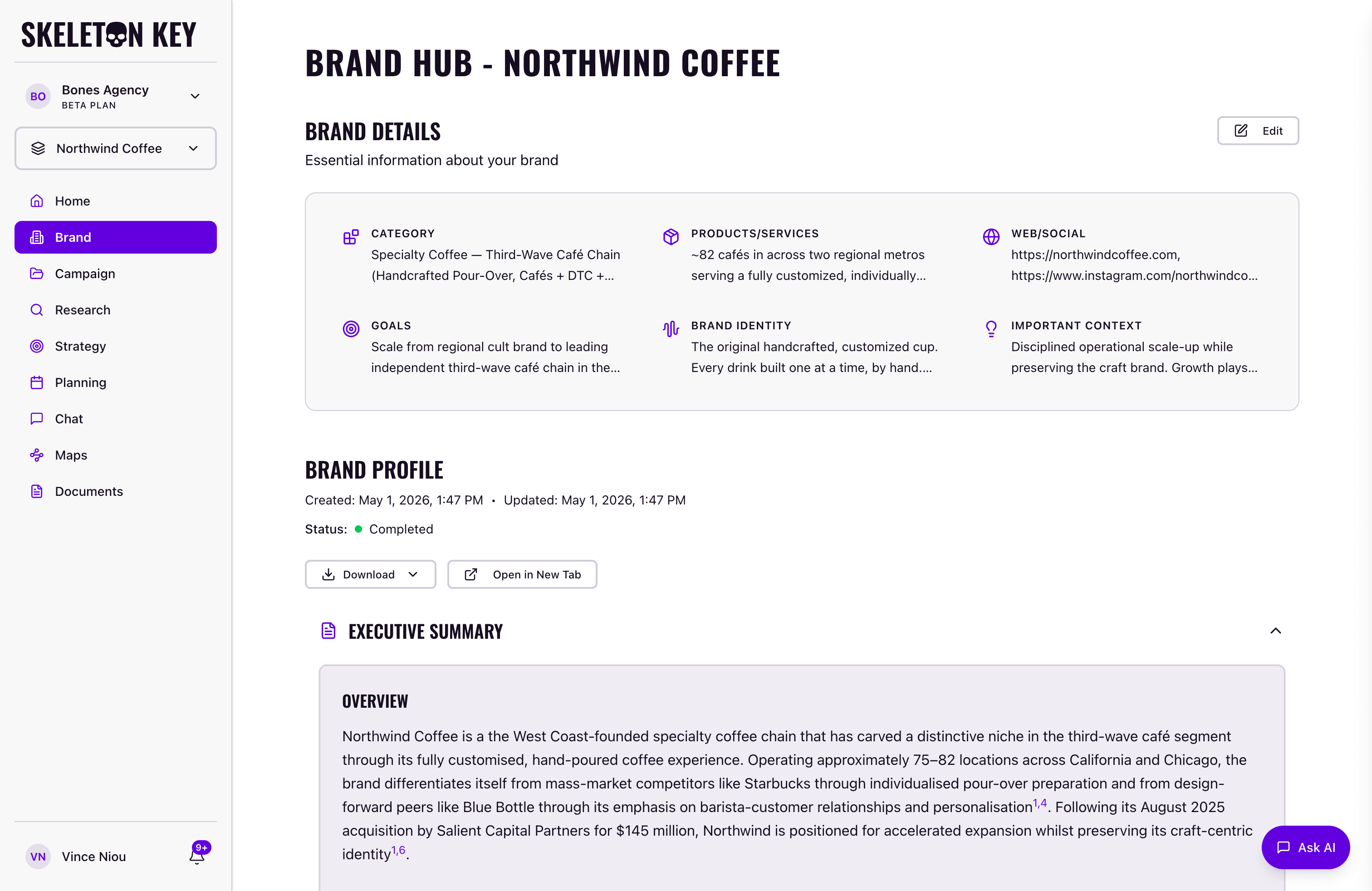
The Brand page is where your work in Skeleton Key begins. Every downstream feature (Research, Strategy, Media Plan) reads from the Brand Profile generated here.
What it does
The intake form has seven fields: Brand Name, Category, Products/Services, URLs, Business Goals, Brand Identity, and Important Context. The first five are required. Brand Identity and Important Context are optional but improve output quality.
When you save the form, the Brand Profiler starts automatically. It runs two web research queries for web and company data, crawls the URLs you provided for social channel signals, then synthesizes everything into a Brand Profile: a title, an executive summary, and a structured body covering positioning, audience, voice, competitive context, and market presence.
Where to find it
Click Brand in the left sidebar. If you have more than one brand in your org, the brand selector controls which brand is active. The Brand page always shows the profile for the currently selected brand. On a new brand, the intake form opens immediately and the profiler runs after you save.
How it works
- Fill in the form (Brand Name, Category, Products/Services, at least one URL, and Business Goals at minimum).
- Save. The profiler starts immediately. A status indicator shows while it runs.
- Generation takes roughly 2 to 3 minutes.
- When complete, the Brand Profile appears on the page and is available to Research and all downstream features.
What you can adjust
Edit Brand Details: The Edit modal opens from the Brand page header. It shows the same intake form (Brand Name is locked after creation) plus a document selector. After editing, you have two save options.
- Save: stores your changes without rerunning the profiler.
- Save & Regenerate: stores your changes and kicks off a fresh profiler run. The new profile overwrites the previous one.
Document attachment: In the Edit modal you can select documents already on your Documents page (PDFs, Word files, Markdown, CSVs, Excel sheets, up to 10MB each) to include as profiler context. To add new files, go to Documents first, then return to select them.
Limits and considerations
- Brand Name is permanent. It cannot be changed after creation.
- Sparse intake produces sparse output. Skipping optional fields and providing only one URL gives the profiler less to work with. Adding Brand Identity, Important Context, and multiple URLs improves the result.
- Regeneration overwrites the current profile. There is no version history for Brand Profiles. Capture the prior version manually if you want to keep it.
- Generation can fail. A failed status shows on the page. Triggering generation again typically resolves transient failures.
Last updated: 2026-04-27