

Research
Five analysts cover different angles of your market, then synthesize into an executive one-pager and a long-form narrative report.
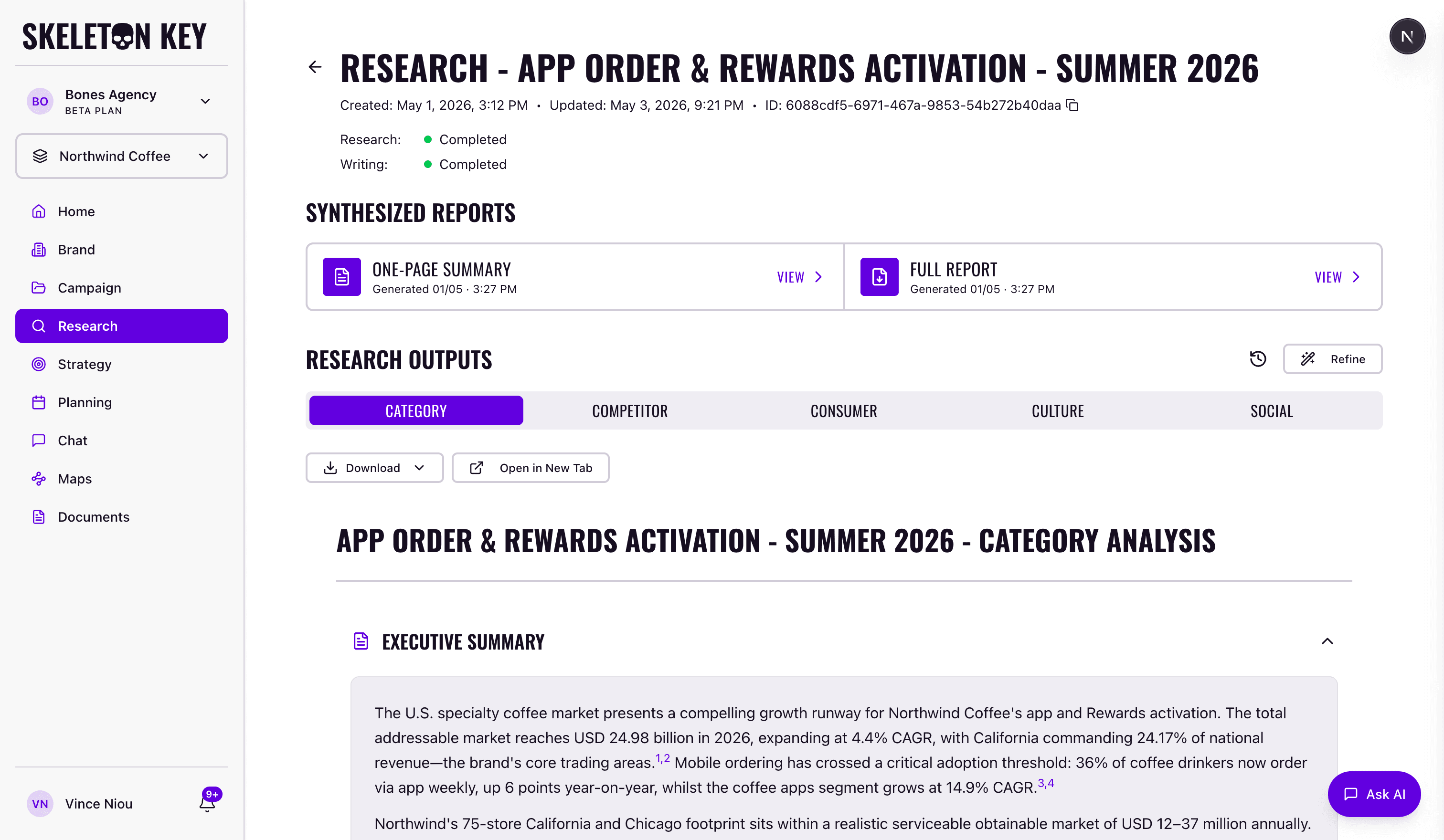
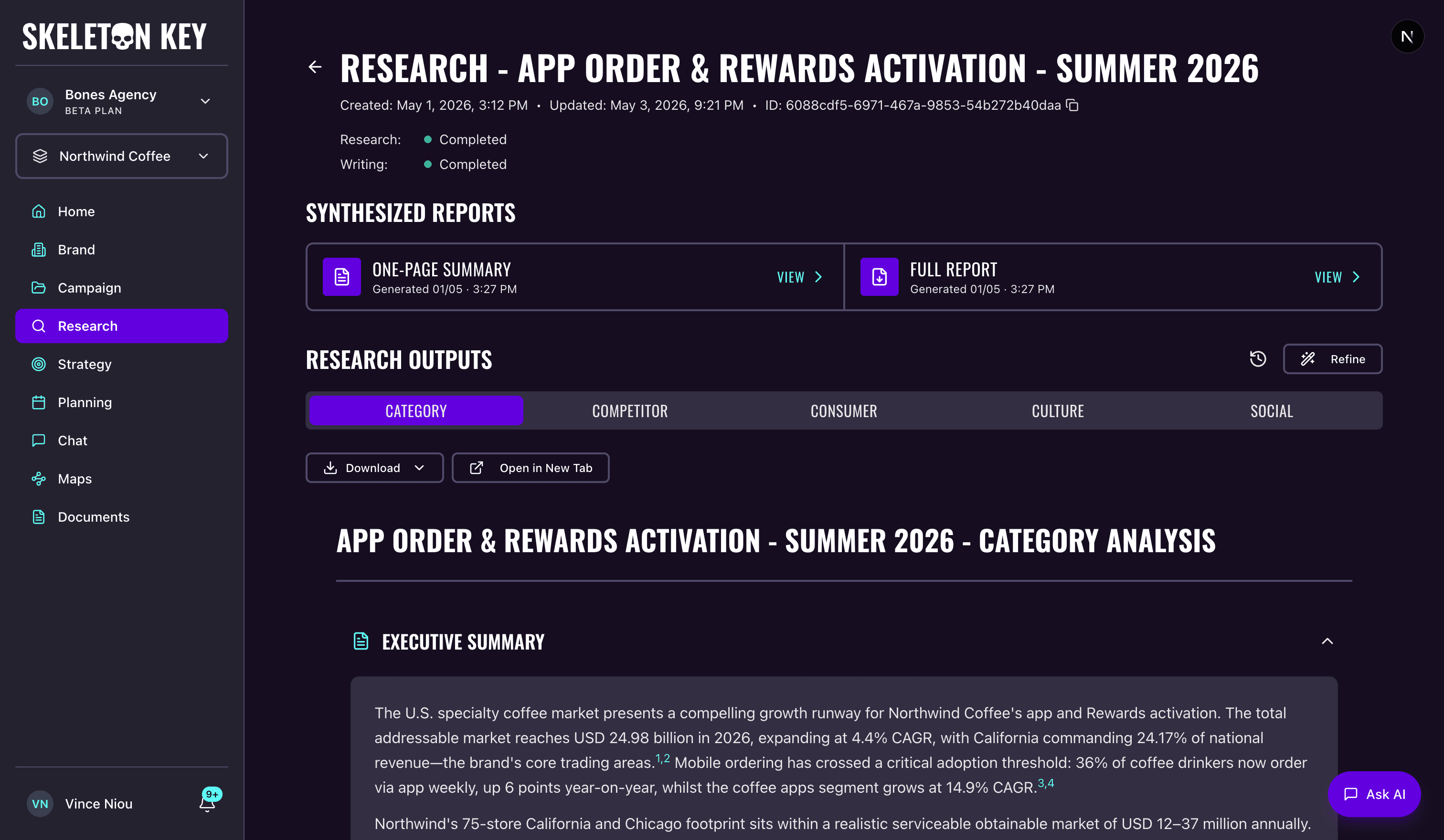
Research is where Skeleton Key takes a Brand Profile and Campaign brief and produces five angles of market intelligence. Five analyst agents run in parallel, each covering a distinct dimension. The Research run takes about 3-4 minutes.
- Category Analyst: market landscape, drivers of growth, structural trends.
- Competitor Analyst: positioning and messaging from direct and indirect competitors.
- Consumer Analyst: audience personas, motivations, barriers, and journeys.
- Culture Analyst: societal values, cultural shifts, and moments relevant to your brand.
- Social Analyst: consumer signals from Reddit, Instagram, TikTok, Amazon, and similar platforms.
What it produces
Each analyst's findings appear in their own tab on the Research page. After all five complete, you can generate two synthesis outputs by clicking Start on the Synthesized Reports strip: a One-Page Summary that distills the key findings across all five analysts into a single scannable summary, and a Full Report that weaves the evidence, insights, and story from every analyst into a cohesive document.
Both reports appear in the Synthesized Reports strip above the analyst tabs and open in a full-screen modal when clicked. Export options live in the modal toolbar. See the Reports page for more.
How it fits in the workflow
Research requires a completed Brand Profile. That is the only prerequisite for brand-level Research. Campaign-scoped Research also requires a Campaign brief, which gives the analysts the context they need to focus their findings on your specific objectives, audience, and market.
The distinction matters for what comes next. Strategy and Media Plan are always campaign-scoped, so only campaign-scoped Research feeds directly into those downstream phases. Brand-level Research is useful for exploratory market intelligence outside of any specific brief, but it won't appear as the Research foundation when you run Strategy inside a campaign.
The full dependency order is: Brand Profile → Campaign → Research → Strategy → Media Plan. Each phase becomes available once the previous one is complete. The product enforces this automatically.
Refining and version history
Each time you run or refine Research, a new run is created. Prior runs are preserved as version history and accessible via the History icon on the Research page. You can restore any previous version with one click, which promotes it to the current run.
When you Refine, you submit feedback and the platform determines which of the five analysts need to re-run based on your input. Analysts whose outputs are unaffected are carried forward unchanged. This keeps iterations targeted rather than rerunning everything from scratch. The full model, including how analyst routing works and how version history grows, is in the Refine workflow guide.
You can optionally attach documents to any Research run. PDFs, Word files, Markdown, CSVs, and Excel sheets uploaded on the Documents page can be selected at run time, and the analysts treat them as high-priority context alongside web research.
If this is your first Research run, the Quickstart walks through it end to end. Otherwise, the per-analyst pages and the Refine workflow are linked below.
Category Analyst
Analyzes the category landscape: adjacent categories, market dynamics, structural trends.
ReadCompetitor Analyst
Profiles direct and indirect competitors on positioning, messaging, and share-of-search.
ReadConsumer Analyst
Profiles target audiences: demographics, psychographics, attitudes, behaviors.
ReadCulture Analyst
Identifies cultural currents relevant to your category and brand.
ReadSocial Analyst
Analyzes social media trends, sentiment, and e-commerce patterns in your category.
ReadRefine
Edit analyst outputs and re-run with your changes for targeted iterations.
ReadReports (one-pager + narrative)
One-page executive summary and full narrative reports from all analysts.
ReadLast updated: 2026-05-04