

Media Plan
A unified channel and spend plan organized into Overview, Charts, and Plan Details sections, fully editable in place.
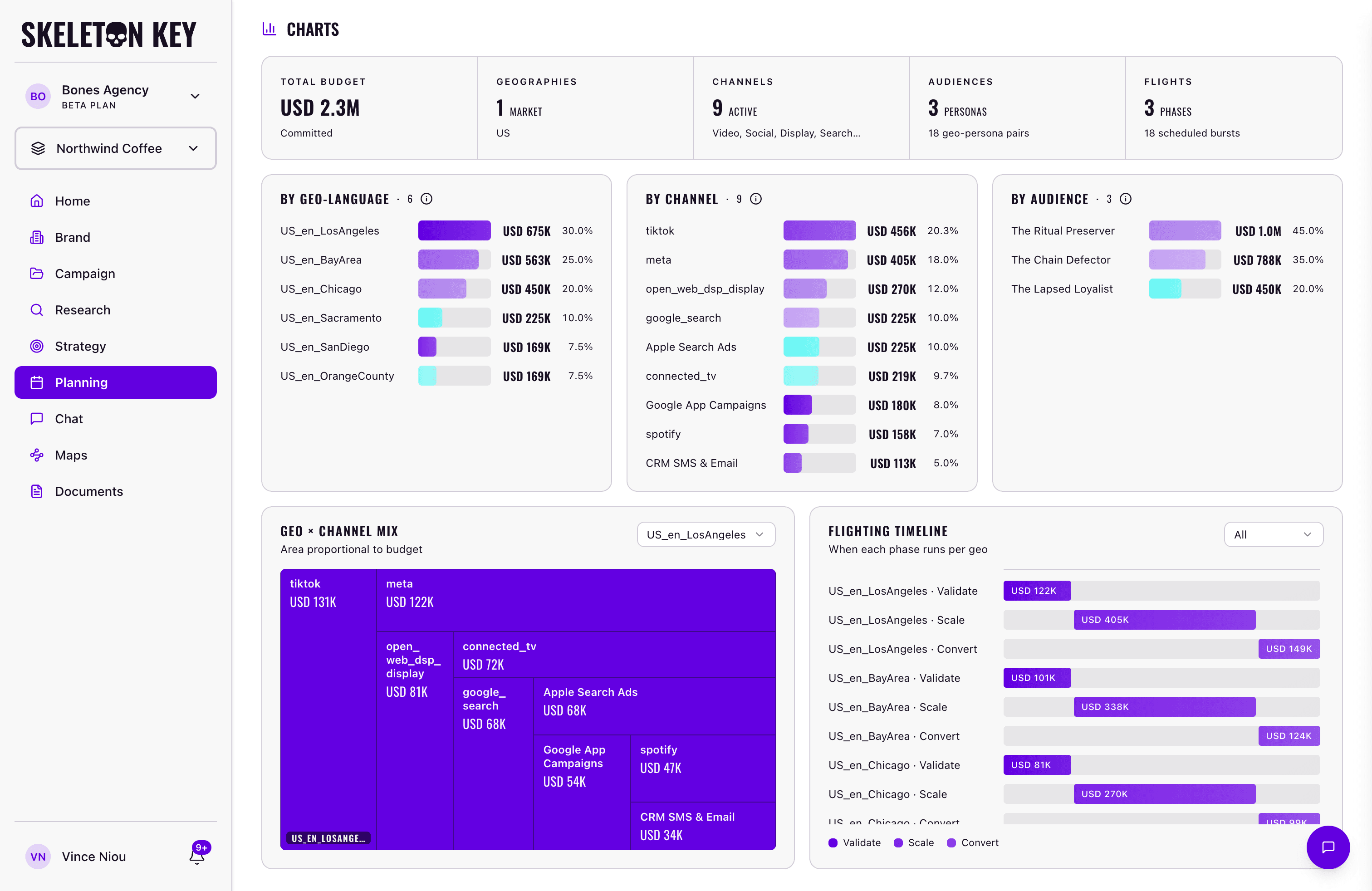
The Media Plan is where Skeleton Key turns Strategy into an executable channel and spend plan. Unlike Research or Strategy, it is a single unified document rather than a set of agent outputs. Three sections sit on the same page, all views into the same plan:
- Overview: campaign label, strategic focus, budget, dates, and problem statement, plus the cross-cutting controls for editing, validation, version history, and sharing.
- Charts: a five-stat summary strip plus five visualizations of how the plan's budget is distributed, with cross-filtering between charts and Plan Details.
- Plan Details: seven tabs (geo, flighting, channels, audiences, URLs, goals, pillars) where the actual plan data lives.
What it produces
A single Media Plan document with the three sections above. The plan exports to Excel and Markdown once it's marked Ready. A Source link in the page header points back to the upstream Strategy run, alongside the request name, created/updated timestamps, and any attached Documents. See Exports & sharing for format-specific behavior.
How it fits in the workflow
The Media Plan is always campaign-scoped. It requires a completed Brand Profile, a Campaign brief, a completed Research run, and a completed Strategy run on the same campaign.
The full dependency order is: Brand Profile → Campaign → Research → Strategy → Media Plan. Each phase becomes available once the previous one is complete. The product enforces this automatically.
Editing and version history
The Media Plan is editable in place. Click Edit to clone the current Ready version into a working draft. Fields across all three sections become editable, and changes auto-save about 1.5 seconds after you stop typing. Save commits the draft to a new Ready version; Cancel discards it and returns to the previous Ready version.
Saving the plan as Ready triggers a validation pass. Blocking errors (missing required fields, budget rollups that don't match channel rows, dates outside the campaign window) must be fixed before the plan can move to Ready. Lower-severity warnings allow you to continue past them via a "Continue Anyway" button.
Every Save creates a new version. The clock icon in the page header opens version history, where you can hover any entry for a relative timestamp and restore prior versions in place. Detailed mechanics live in Refine.
If you're new to Skeleton Key, the Quickstart walks through the end-to-end flow.
Overview
Plan-level summary fields plus the cross-cutting editing, version history, and sharing behaviors.
ReadCharts
A five-stat summary strip and five cross-filtered visualizations of how budget is distributed.
ReadPlan Details
The seven tabs where the plan data lives: geo, flighting, channels, audiences, URLs, goals, and pillars.
ReadLast updated: 2026-05-04