

Strategy
Four strategists turn Research into goals, audience personas, messaging pillars, and a media strategy, plus a one-page executive summary.
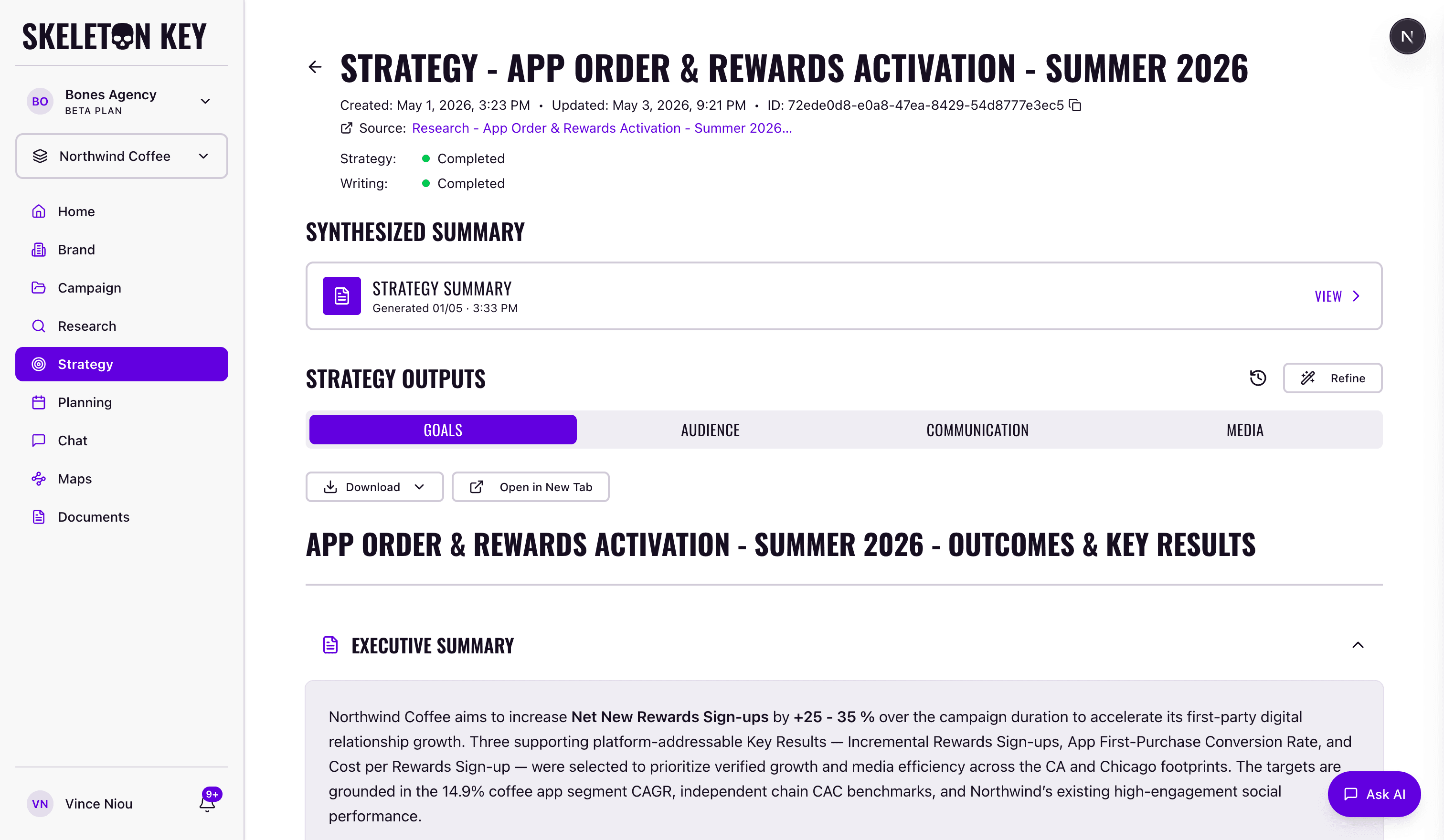
Strategy is where Skeleton Key turns Research findings into actionable marketing direction. Four strategists run sequentially, each building on the output before it. The full Strategy run takes about 8-10 minutes.
- Goals Strategist: translates the campaign objective into one Objective and three numeric Key Results.
- Audience Strategist: defines three prioritized buyer personas tied to those Key Results.
- Communication Strategist: builds a messaging architecture around three named pillars.
- Media Strategist: sets channel rationale, allocation principles, and flighting structure.
After all four complete, a Strategy Summary synthesizes the outputs into a one-page executive brief.
What it produces
Each strategist's output appears on its own tab on the Strategy page. After all four complete, a Strategy Summary becomes available as a separate synthesis output. The summary takes 2-3 minutes after the strategists finish, bringing total time to roughly 10-13 minutes from kickoff to summary ready.
The four strategist outputs and the summary all carry citations and export to PDF, Word, and Markdown. See the Strategy Summary page for what's inside the synthesis document.
How it fits in the workflow
Strategy is always campaign-scoped. It requires a completed Brand Profile, a Campaign brief, and a completed Research run on the same campaign. Brand-level Research does not feed Strategy; only campaign-scoped Research does.
The full dependency order is: Brand Profile → Campaign → Research → Strategy → Media Plan. Each phase becomes available once the previous one is complete. The product enforces this automatically.
Refining and version history
Each Strategy run is preserved as version history and accessible via the History icon on the Strategy page. You can restore any prior version with one click, which promotes it to the current run.
When you Refine a strategist, the platform determines which downstream strategists also need to re-run based on what changed. Refining Goals triggers a full Strategy re-run, since the other three depend on it. Refining Audience may pull Communication and Media back through; refining Communication may pull Media. The Strategy Summary does not regenerate automatically after a refine; click Start on the Synthesized Summary strip to produce a new summary against the refined version. The full model is in the Refine workflow guide.
You can attach documents to any Strategy run. PDFs, Word files, Markdown, CSVs, and Excel sheets uploaded on the Documents page can be selected at run time, and the strategists treat them as high-priority context alongside web research.
If you're new to Skeleton Key, the Quickstart walks through the end-to-end flow. Otherwise, the per-strategist pages and the Refine workflow are linked below.
Goals Strategist
Translates business objectives into measurable marketing goals.
ReadAudience Strategist
Defines target audience segments and detailed audience personas.
ReadCommunication Strategist
Develops core messages, positioning, and creative direction.
ReadMedia Strategist
Sets channel strategy, budget allocation principles, and media mix recommendations.
ReadStrategy Summary
Executive summary synthesizing all four strategist outputs.
ReadLast updated: 2026-05-04